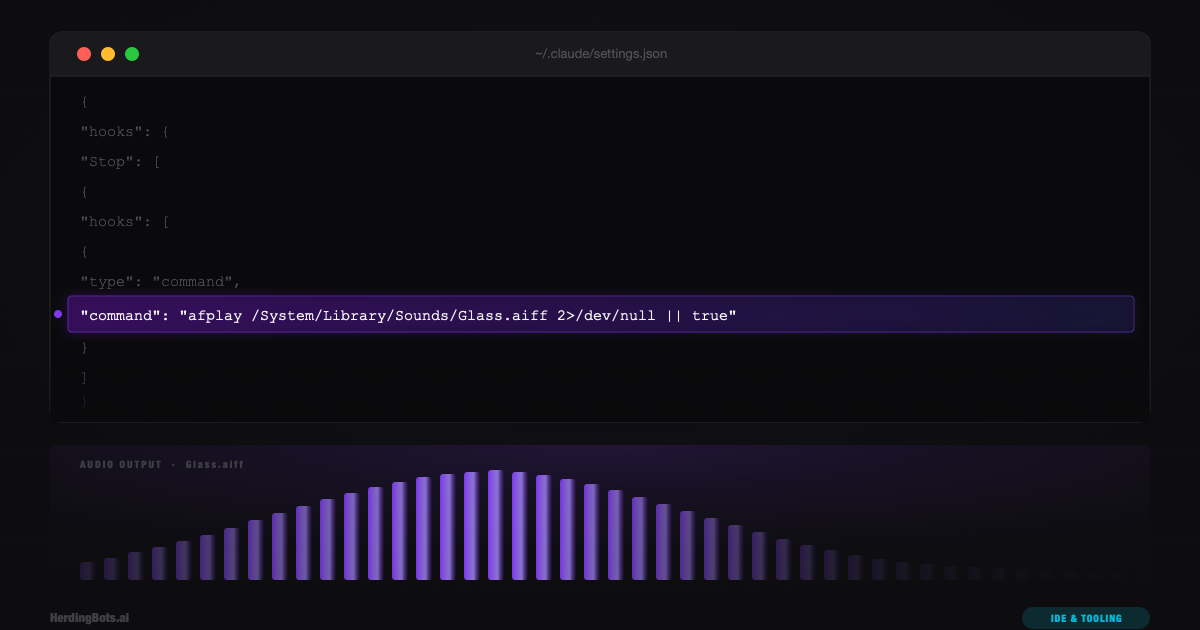
Here is how this guide was born.
I was building this very website — HerdingBots.ai — using Claude Code inside VS Code. It was a substantial first-draft build: an Astro project from scratch, Tailwind v4 configuration, multiple page layouts, a content collection system for MDX articles, a full component library, and an initial published guide. Dozens of files written in sequence.
I submitted the task and did what anyone does during a long AI coding session: I went and did something else. Responded to a message. Made coffee. Looked at something unrelated. The task was going to take a few minutes — maybe three, maybe seven, no way to know — and sitting there watching a spinner felt like a waste.
And then I came back. Too soon. Checked again. Too soon again. Did the thing where you check every ninety seconds for five minutes and each time feel vaguely annoyed that you checked. Eventually I caught it mid-completion, waited the remaining thirty seconds, and moved on.
That small friction is invisible in isolation. But it compounds. If you use Claude Code seriously for a few hours a day, you experience that dance — submit, wander, check, wander, check — dozens of times. The cognitive overhead is real. The interruption cost is real. And the thing is: there’s an obvious solution. The same solution that every other tool with async operations has had for decades.
A sound. Just play a sound when it’s done.
Why This Shouldn’t Have Required Research
The expectation going in was that this would be a setting. Something like notifications.playSound: true buried somewhere in VS Code’s sprawling settings surface, or a toggle in the Claude Code extension panel. It wasn’t.
The Claude Code VS Code extension has settings — a claude.* namespace with controls for model selection, permission modes, auto-approval behavior. None of them touched notifications. There’s no system notification either, the kind that would appear in your OS notification center and make a sound automatically. Claude Code finishes quietly.
This is, in some ways, a reasonable design choice. Not every task completion is significant. A quick “explain this function” doesn’t need a chime. A three-minute scaffold build absolutely does. Where you draw that line is a judgment call the tool can’t make for you, which might be why the feature doesn’t exist as a built-in toggle.
But “the tool can’t decide” doesn’t mean “you can’t configure it yourself.” That realization pointed toward hooks.
The Hooks System: More Powerful Than It Looks
Claude Code has a hooks system that most people who use it casually have never touched. It’s documented, but it’s tucked away enough that it doesn’t surface naturally during normal use.
The concept is simple: hooks are shell commands (or LLM prompts, or agent invocations) that Claude Code executes automatically in response to lifecycle events. You configure them in settings.json under a hooks key, and the runtime fires them at the right moments.
The list of available events is longer than you’d expect:
PreToolUse      PostToolUse     PostToolUseFailure
Notification    UserPromptSubmit SessionStart
Stop            PreCompact      PostCompact
PermissionRequest               PermissionDenied
SubagentStart   SubagentStop    TaskCreated
TaskCompleted   FileChanged     CwdChanged
For the audio alert problem, Stop is the right event. It fires when Claude finishes responding — when it’s done thinking, done executing tools, done writing files, done with everything for that turn. The spinner disappears, Claude is waiting for your next input. That’s the moment you want the sound.
The Structure Asymmetry That Tripped Things Up
Here’s where it gets slightly counterintuitive, and where anyone who hasn’t read the schema carefully will likely stumble.
Most hook events — PreToolUse, PostToolUse, their failure variants — are tool hooks. They fire in response to specific tool executions: a Write call, a Bash call, a Read. These hooks require a matcher field: a string that tells Claude Code which tool name(s) should trigger this hook.
{
  "hooks": {
    "PostToolUse": [
      {
        "matcher": "Write|Edit",
        "hooks": [
          { "type": "command", "command": "prettier --write ..." }
        ]
      }
    ]
  }
}
The matcher is mandatory for tool hooks. Without it, the hook doesn’t fire. If you look at documentation examples for tool hooks and then try to apply the same pattern to Stop, your first instinct is to add a matcher field. What would you even match against? Stop isn’t a tool. There’s no tool name to filter on.
The answer is: Stop hooks don’t need a matcher at all. They’re lifecycle hooks, not tool hooks, and the schema treats them differently. A Stop hook entry is just a bare object with a hooks array — no matcher property:
{
  "hooks": {
    "Stop": [
      {
        "hooks": [
          { "type": "command", "command": "..." }
        ]
      }
    ]
  }
}
This structural asymmetry — tool hooks need a matcher, lifecycle hooks don’t — is correct and makes sense once you understand it. But it’s easy to miss, and a wrongly-structured hook fails silently. Claude Code won’t throw an error about a missing or unexpected field; it just won’t fire the hook. Silent failure is the worst kind for configuration debugging.
The Testing Protocol That Saved Time
Before writing anything to settings.json, there’s a step worth doing: pipe-test the actual command against the input the hook will receive.
Every hook receives JSON on stdin when it fires. The format includes session context, tool information, and event-specific data. For a Stop hook specifically, the stdin payload is minimal — Stop is a lifecycle event, not a tool event, so there’s no tool_input or tool_response to examine. The payload is essentially {}.
That means the command for a Stop hook generally doesn’t read stdin at all — it just does its thing. The pipe-test for this case is correspondingly simple. On macOS:
echo '{}' | afplay /System/Library/Sounds/Glass.aiff && echo "exit: $?"On Windows, run the same test from Git Bash (which ships with the Git for Windows install that Claude Code on Windows requires):
echo '{}' | powershell -NoProfile -Command "try { (New-Object Media.SoundPlayer 'C:/Windows/Media/Windows Notify.wav').PlaySync() } catch {}; exit 0"; echo "exit: $?"Running either produces a chime and prints exit: 0. That’s the confirmation needed: the command works, the path is valid, the tool is available, and it exits cleanly. Write it to the config with confidence.
This step matters more for complex hooks — ones that extract data from the JSON payload using jq, invoke formatters on specific file paths, or conditionally run based on tool output. For those, a silent failure during development is maddening. Testing the command in isolation first isolates whether the failure is in the command itself or in how the hook is configured.
macOS: afplay, the Tool That Was Already There
afplay is a macOS command-line utility for playing audio files. It ships with macOS — no Homebrew, no installation, no dependencies. It’s been there since at least macOS 10.4. The man page is four lines long.
NAME
     afplay – Audio File Play

SYNOPSIS
     afplay [-h] audiofile

DESCRIPTION
     Audio File Play plays an audio file to the default audio output
That’s it. One argument: the audio file. It plays to whatever your default audio output device is. It exits when the sound finishes playing, which for a short system sound is effectively instant.
The system sounds live at /System/Library/Sounds/:
Basso.aiff    Blow.aiff     Bottle.aiff   Frog.aiff
Funk.aiff     Glass.aiff    Hero.aiff     Morse.aiff
Ping.aiff     Pop.aiff      Purr.aiff     Sosumi.aiff
Submarine.aiff  Tink.aiff
Fourteen options. The .aiff format is lossless, they’re all short (under two seconds), and they all play immediately with no buffering delay. Glass.aiff was the choice here — it’s the crisp, high-pitched chime that macOS uses for “attention” moments. Distinctive without being alarming.
Sosumi.aiff is worth a mention for its history: it’s the macOS descendant of the original Mac “SOS” sound from 1984, and its name is a play on “So sue me” — Apple’s response to a threatened lawsuit from The Beatles’ Apple Records over the use of sound in a computer. A small piece of tech history sitting quietly in /System/Library/Sounds/.
Windows: PowerShell and C:\Windows\Media
Windows has no afplay, but it has the same two ingredients: a stock audio player and a folder full of system sounds.
The player is .NET’s SoundPlayer class, reachable from any PowerShell prompt — which every Windows install has:
(New-Object Media.SoundPlayer 'C:/Windows/Media/Windows Notify.wav').PlaySync()The system sounds live at C:\Windows\Media\ — around seventy .wav files. The short, chime-like ones that suit a completion alert:
Windows Notify.wav   Windows Ding.wav   Windows Background.wav
chimes.wav           chord.wav          ding.wav
notify.wav           tada.wav
Windows Notify.wav is the pick here — the classic notification chime, the Windows counterpart to Glass.aiff: distinctive without being alarming. tada.wav is the fun option if you want a long task to feel like an event.
One detail that matters: PlaySync(), not Play(). Play() returns immediately and the PowerShell process exits before the audio starts — you get silence and no error. PlaySync() blocks until the sound finishes, which for a one-second chime is exactly what you want.
The error handling also moves inside the command on Windows. The macOS version leans on the POSIX 2>/dev/null || true idiom; the Windows version wraps the call in PowerShell’s own try { ... } catch {}; exit 0 instead. Same “best effort, never fail loudly” contract, but self-contained — it exits 0 no matter what the surrounding shell is, rather than depending on POSIX operators being available.
The Final Configuration
The complete addition to ~/.claude/settings.json on macOS:
{
  "hooks": {
    "Stop": [
      {
        "hooks": [
          {
            "type": "command",
            "command": "afplay /System/Library/Sounds/Glass.aiff 2>/dev/null || true"
          }
        ]
      }
    ]
  }
}
And on Windows:
{
  "hooks": {
    "Stop": [
      {
        "hooks": [
          {
            "type": "command",
            "command": "powershell -NoProfile -Command \"try { (New-Object Media.SoundPlayer 'C:/Windows/Media/Windows Notify.wav').PlaySync() } catch {}; exit 0\""
          }
        ]
      }
    ]
  }
}
Two small additions to the macOS command beyond the bare afplay call:
2>/dev/null redirects stderr to /dev/null. If for some reason afplay fails — the file doesn’t exist, the audio device is unavailable — the error output goes nowhere instead of appearing in Claude Code’s output. Noise-free failure.
|| true ensures the command always exits with code 0. If afplay fails and returns a non-zero exit code, the || true catches it and returns success anyway. Hooks that exit non-zero can be treated as errors by Claude Code and may surface feedback to the user or affect the hook’s behavior. For a notification hook, failure should always be silent — the point of the 2>/dev/null || true pattern is “best effort, never fail loudly.”
The Windows command makes the same two promises in PowerShell’s own syntax — try { ... } catch {} swallows any error, exit 0 guarantees a clean exit — plus -NoProfile, which skips loading the user’s PowerShell profile so the hook fires fast and isn’t affected by whatever a profile script might print or break.
This goes in ~/.claude/settings.json — the global user-level settings file, which on Windows resolves to %USERPROFILE%\.claude\settings.json — rather than in a project-level .claude/settings.json. The decision is scope: a sound notification on task completion is a personal preference, not a project configuration. It should follow you across every project you work in, not be defined per-repo.
Validating Before Moving On
After writing the config, one command confirms everything is correctly structured. On macOS, jq:
jq -e '.hooks.Stop[0].hooks[0].command' ~/.claude/settings.jsonExpected output:
"afplay /System/Library/Sounds/Glass.aiff 2>/dev/null || true"Exit code 0 and the correct command string means the JSON is valid, the hook is correctly nested, and the schema path is right. Exit code 4 would mean the path didn’t match — wrong nesting. Exit code 5 would mean malformed JSON. Either failure mode means nothing works and diagnosing it is a pain. This one-liner catches both before you spend ten minutes wondering why the hook isn’t firing.
On Windows, jq typically isn’t installed (Git Bash doesn’t include it), but PowerShell can do the same check natively:
(Get-Content ~/.claude/settings.json -Raw | ConvertFrom-Json).hooks.Stop[0].hooks[0].commandSame logic, same three outcomes: it prints your command string when everything is right, throws a parse error on malformed JSON, and prints nothing when the nesting is wrong.
What “Stop” Actually Means
There’s a nuance worth naming. Stop fires whenever Claude Code finishes a response — not just after “big” tasks, but after every response. Ask it a quick question about syntax and you’ll get a chime. Request a one-line edit and you’ll get a chime. It doesn’t distinguish between a three-second response and a three-minute build.
For some workflows this is fine or even desirable — you always know when Claude is done, regardless of task size. For others it might get old quickly on short interactions.
A few ways to adjust if needed:
Different sounds by context. The hooks system is a shell command, which means you can run arbitrary logic. A script that checks elapsed time (via a SessionStart hook that stamps a file, then calculates delta in Stop) and plays a sound only if the session ran longer than some threshold would work, though it’s complexity you probably don’t want until the simple version proves insufficient.
Per-project disable. Project-level settings override user-level settings in some cases, but adding hooks doesn’t work as a simple override — hooks from all levels merge. To suppress the global sound hook for a specific project, you’d need a slightly different architecture: move the hook to .claude/settings.json in the relevant project instead of the global file, and accept that it only fires there.
Just live with it. Glass.aiff — or Windows Notify.wav — is short and clean. After a day of use, it fades into the background the same way a messaging app’s notification sound does — present when you need it, ignored when you don’t. The friction it removes (the constant checking-back cycle) is larger than the friction it adds.
The Broader Point
The interesting thing about this solution isn’t the solution itself — it’s what building it required knowing.
The hooks system in Claude Code is genuinely powerful. PostToolUse hooks can auto-format files after every write. PreToolUse hooks can validate or log tool calls before they execute. UserPromptSubmit hooks can preprocess your input. PostCompact hooks can do cleanup after context compression. The surface area is large, and most of it goes unused because it’s not visible.
The Stop audio alert is the simplest possible hook. One event, one command, four words of shell. But finding it required knowing that hooks existed, knowing which event to use, understanding the structural difference between tool hooks and lifecycle hooks, knowing your platform’s stock audio player (afplay on macOS, PowerShell’s SoundPlayer on Windows), knowing where the system sounds live (/System/Library/Sounds/, C:\Windows\Media\), and knowing how to test the command before committing it to config.
None of those pieces are hidden exactly — it’s all in documentation somewhere. But it’s distributed. The path from “I want a sound when Claude finishes” to “here is a working config” isn’t linear, and the absence of an obvious built-in feature makes it feel like the problem is harder than it is.
It isn’t hard. The final answer is one line. But finding it takes knowing where to look.
The Exact Steps, Condensed
For anyone who wants to skip the narrative and get straight to it:
1. Open your global Claude Code settings — same path on both platforms:
# macOS: /Users/you/.claude/settings.json
# Windows: C:\Users\you\.claude\settings.json
~/.claude/settings.json
2. Add the Stop hook (merge with existing content, don’t replace it).
macOS:
{
  "hooks": {
    "Stop": [
      {
        "hooks": [
          {
            "type": "command",
            "command": "afplay /System/Library/Sounds/Glass.aiff 2>/dev/null || true"
          }
        ]
      }
    ]
  }
}
Windows (note the forward slashes in the path — backslashes fail silently):
{
  "hooks": {
    "Stop": [
      {
        "hooks": [
          {
            "type": "command",
            "command": "powershell -NoProfile -Command \"try { (New-Object Media.SoundPlayer 'C:/Windows/Media/Windows Notify.wav').PlaySync() } catch {}; exit 0\""
          }
        ]
      }
    ]
  }
}
3. Validate — macOS:
jq -e '.hooks.Stop[0].hooks[0].command' ~/.claude/settings.jsonWindows (PowerShell):
(Get-Content ~/.claude/settings.json -Raw | ConvertFrom-Json).hooks.Stop[0].hooks[0].command4. Test the sound manually — macOS:
afplay /System/Library/Sounds/Glass.aiffWindows (PowerShell):
(New-Object Media.SoundPlayer 'C:/Windows/Media/Windows Notify.wav').PlaySync()5. Swap the sound if you prefer a different one. macOS options are in /System/Library/Sounds/ — Ping, Tink, and Hero are all reasonable alternatives to Glass. Windows options are in C:\Windows\Media\ — try chimes.wav, ding.wav, or tada.wav.
That’s it. The hook is global, fires on every response completion, and requires no restart — Claude Code picks up settings changes at the start of the next session or when you navigate to /hooks and back.