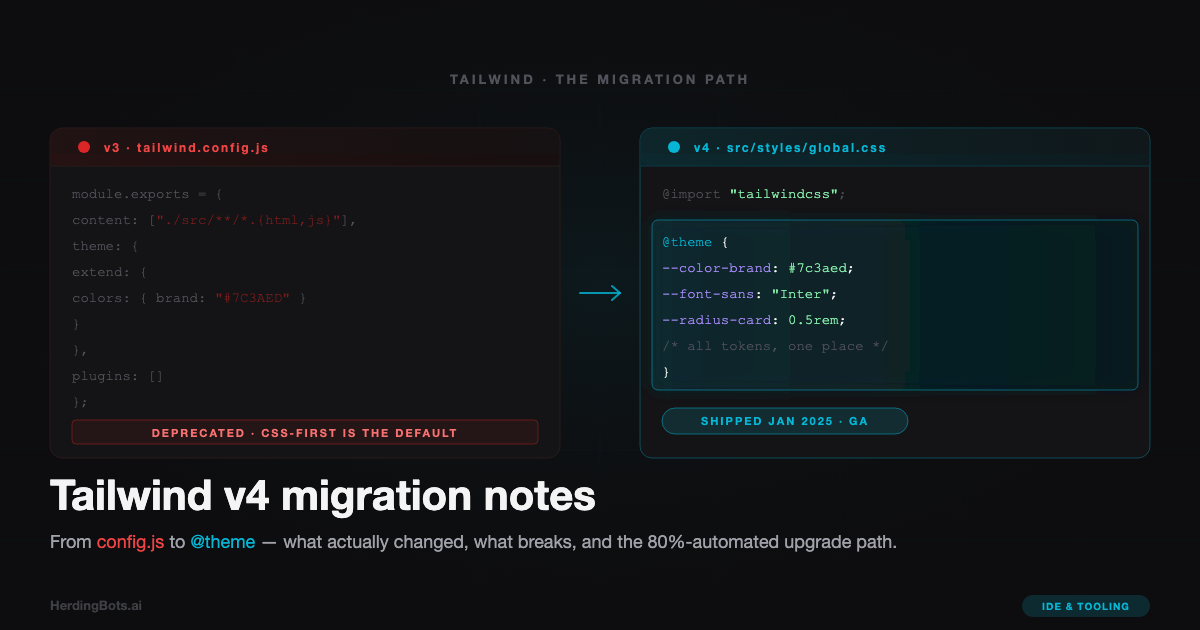
Tailwind v4 went GA in January 2025. By the time I got around to a serious migration a few weeks later, half my tooling stack was complaining about peer dependencies, and the other half was silently building against v3 while my editor lit up with v4 suggestions. This post is the set of notes I wish I’d had when I started: what genuinely changed, what the upgrade tool handles for you, and the handful of gotchas that will eat an afternoon if you don’t know they’re coming.
The short version: v4 is a big internal rewrite with a small-but-sharp migration surface. If you’re starting fresh, start on v4. If you have a mature v3 codebase, the upgrade is maybe a half day of work, and about 80% of that half-day is automated.
The headline change: config moves into CSS
In v3, the center of your design system was tailwind.config.js. In v4, it moves into your CSS file. That’s the single biggest shift — everything else is a consequence.
Here’s the same theme expressed in both worlds.
v3 (tailwind.config.js):
/** @type {import('tailwindcss').Config} */
module.exports = {
  content: ["./src/**/*.{astro,html,js,ts,jsx,tsx,mdx}"],
  theme: {
    extend: {
      colors: {
        background: "#0a0a0c",
        surface: "#101013",
        primary: "#8b5cf6",
      },
      borderRadius: {
        card: "8px",
      },
      fontFamily: {
        sans: ["Inter", "system-ui", "sans-serif"],
      },
    },
  },
};
v4 (src/styles/global.css):
@import "tailwindcss";

@theme {
  --color-background: #0a0a0c;
  --color-surface: #101013;
  --color-primary: #8b5cf6;

  --radius-card: 8px;

  --font-sans: "Inter", system-ui, sans-serif;
}
A few things worth noticing in that small example:
- The
@import "tailwindcss"line is the new entry point. It replaces the three@tailwind base/components/utilitiesdirectives from v3. You don’t pull them in separately anymore. - Your design tokens are now native CSS custom properties inside an
@themeblock. The variable names follow a convention —--color-*,--font-*,--radius-*,--spacing-*, etc. — and Tailwind reads them to generate utility classes. So--color-primary: #8b5cf6gives youbg-primary,text-primary,border-primary, and friends without any further wiring. - There is no
contentarray anymore. v4 auto-detects your template files by walking the project from the CSS file’s location, respecting.gitignore. For 95% of projects this just works. For the other 5% (monorepos with weird layouts, generated files outside the tree), there’s an@sourcedirective you can use to add paths explicitly.
For a concrete example of this pattern in production, the @theme block on this site lives in src/styles/global.css and drives the whole palette — there’s no JS config anywhere.
Does the JS config still work?
Yes, through a compatibility shim. If you import your old tailwind.config.js via the @config directive:
@import "tailwindcss";
@config "../../tailwind.config.js";
…v4 will read it and apply it. This is useful as a bridge during migration — you can flip to v4 without rewriting your theme on day one. But treat it as temporary. The compat shim exists for the migration path, not as a long-term home. Move your tokens into @theme when you have time, then delete the JS config.
Vite and PostCSS: the plugin story
In v3, the canonical install for a Vite project was the PostCSS plugin: you’d put tailwindcss and autoprefixer in your postcss.config.js and let Vite’s built-in PostCSS pipeline pick them up.
In v4, there’s a dedicated @tailwindcss/vite plugin, and it’s the recommended path for Vite-based frameworks (Astro, SvelteKit, Nuxt, vanilla Vite, Remix).
// astro.config.mjs
import { defineConfig } from "astro/config";
import tailwindcss from "@tailwindcss/vite";

export default defineConfig({
  vite: {
    plugins: [tailwindcss()],
  },
});
That’s the whole setup. No postcss.config.js, no autoprefixer in your dependencies (v4 handles vendor prefixing internally via the Oxide engine), and no @astrojs/tailwind integration — the old integration package is deprecated in favor of the plain Vite plugin.
For non-Vite environments there’s a PostCSS plugin (@tailwindcss/postcss) and a standalone CLI (@tailwindcss/cli). But on Vite, use the Vite plugin. It’s faster and the ergonomics are better.
The Oxide engine: build speed is actually different
The v4 engine is a Rust rewrite (internally called Oxide), and for once the “it’s rewritten in Rust” claim translates to a build-speed difference you’ll actually notice. First-build time improves significantly, but the bigger win is incremental rebuilds: edits in dev feel close to instantaneous even on large templates.
I won’t throw specific numbers at you because your mileage depends on your template surface area, disk speed, and what else your bundler is doing. But if v3’s Tailwind step was a perceptible pause in your HMR cycle, v4 makes it feel gone. The Oxide rewrite typically delivers an order-of-magnitude speedup on the Tailwind portion of the build, and on larger projects that’s meaningful.
The engine also unlocks features that were awkward or impossible before — notably, container queries as first-class utilities without a plugin, and a cleaner story around arbitrary values.
Breaking changes you’ll actually hit
Most of your v3 markup keeps working unchanged. The places you’ll notice differences are concentrated in a handful of utilities and CSS conventions. Here are the ones I actually bumped into on real code.
| Area | v3 | v4 |
|---|---|---|
| CSS entry | @tailwind base; @tailwind components; @tailwind utilities; | @import "tailwindcss"; |
| Config | tailwind.config.js | @theme block in CSS |
| Shadows | shadow-sm, shadow | shadow-xs, shadow-sm (everything shifted one step) |
| Blur | blur-sm, blur | blur-xs, blur-sm |
| Rounded | rounded-sm, rounded | rounded-xs, rounded-sm |
| Default ring | ring → 3px blue ring | ring → 1px currentColor ring |
| Outline | outline → 2px solid | outline → 1px solid, new outline-* scale |
| Opacity | bg-black bg-opacity-50 | bg-black/50 (v3 syntax removed) |
| Variables in classes | bg-[var(--foo)] | bg-(--foo) (new shorthand, old still works) |
| Preflight | Buttons inherited font from body | Buttons now explicitly type="button" default; border colors use currentColor by default |
A few of these deserve more than a row in a table.
The *-sm → *-xs rename
Tailwind added an extra-small step to shadow, blur, and rounded. Everything shifted down by one: the old shadow-sm became shadow-xs, the old bare shadow became shadow-sm, and a new shadow-xs appeared. If you had a design where small shadows were common, this is the single biggest source of visual regressions post-migration. The automated upgrade tool handles it, but spot-check anywhere you used shadow-sm, blur-sm, or rounded-sm — those will look different if left untouched.
Opacity syntax
The two-class pattern bg-black bg-opacity-50 was already discouraged in v3 in favor of the slash syntax bg-black/50. In v4, the slash is the only way. The upgrade tool rewrites these automatically, but if you have any dynamically generated class strings (e.g., `bg-${color} bg-opacity-${op}`) the tool won’t catch them — those need manual attention.
Default border color
In v3, border with no color utility applied a default light gray. In v4, it applies currentColor. This is more consistent (matches how ring and other border-like utilities behave) but it’s a silent visual change. If you have rows of elements with bare border classes, they now take the current text color. Either add explicit border colors or lean into the new behavior — both are defensible, but decide, don’t let it drift.
Container queries
Container queries are built in. No plugin. The syntax:
<div class="@container">
  <div class="@md:grid-cols-2 grid grid-cols-1">
    <!-- ... -->
  </div>
</div>
If you were using @tailwindcss/container-queries in v3, uninstall it. The syntax is nearly identical and v4 handles it natively.
The upgrade tool: what it does and doesn’t
Tailwind ships an official codemod:
npx @tailwindcss/upgradeRun it from your project root. It will:
- Bump your
package.jsondeps. - Install the right plugin for your bundler (
@tailwindcss/vitefor Vite projects,@tailwindcss/postcssotherwise). - Rewrite your CSS entry from
@tailwinddirectives to@import "tailwindcss". - Convert
tailwind.config.jstheme values into an@themeblock in your main CSS, where it can. - Rename utility classes across your templates (
shadow-sm→shadow-xs, etc.). - Convert
bg-opacity-*patterns to the slash syntax. - Remove deprecated packages like
@astrojs/tailwindand adjust your framework config.
In practice it handles the bulk of a typical migration. Expect the tool to do roughly 80% of the work; the remaining 20% is what needs a human.
Things it doesn’t handle well:
- Plugins with no v4 equivalent. Check your plugin list. Official first-party plugins (
@tailwindcss/typography,@tailwindcss/forms) have v4-compatible versions. Third-party plugins may not. If one of your plugins hasn’t updated, you’ll either keep a JS config around via the@configshim, find a replacement, or wait. - JS-config-only features. If your
tailwind.config.jsdid anything clever — customsafelistpatterns, complex variants viaaddVariant, content-source transformations — those don’t round-trip cleanly into@theme. The tool leaves the JS config in place and imports it via@config, which works but leaves you with two sources of truth. - Dynamic class strings. Template literals like
`text-${size}`aren’t parsed. Anywhere you build class names dynamically, you need to verify them by hand. - Custom CSS that referenced Tailwind theme values via
theme()function calls. v4 prefers CSS variables:var(--color-primary)instead oftheme('colors.primary'). Thetheme()function still works but feels anachronistic in a v4 codebase.
My rough migration order
What worked for me, in order:
- Commit a clean checkpoint. This is the moment for a green working tree — you want to be able to diff.
- Run
npx @tailwindcss/upgrade. - Boot the dev server. Fix the immediate breakage (usually a plugin or a stray
@tailwinddirective the tool missed). - Do a visual pass through the site. Spot-check anywhere you used
shadow-sm,borderwithout an explicit color, orringas a focus style. These are the three places subtle regressions hide. - Grep the codebase for
theme(andtailwind.configreferences and clean them up. - Move your theme tokens from the (possibly still-present) JS config into
@theme, then delete the JS config. - Commit. Review the diff with fresh eyes before pushing.
The step order matters because step 4 is the only manual QA pass — and doing it before you’ve cleaned up the JS config means you’re QAing the output the tool produced, not a half-refactored intermediate state.
Editor setup
One small but real footgun: your editor’s Tailwind IntelliSense extension needs to be on a recent version for v4. The older versions key off tailwind.config.js; the newer versions read from @theme directly. If your autocomplete goes quiet after migrating, that’s the fix — update the extension.
I have a short note on what I keep in my local editor config at configuring settings.local.json for VS Code + Claude Code if you want the broader setup, but for this specific issue: update the extension, reload the window, and your suggestions should come back immediately.
The minimum viable v4 setup
For an Astro project started fresh today, the whole install is three things.
npm install tailwindcss @tailwindcss/vite// astro.config.mjs
import { defineConfig } from "astro/config";
import tailwindcss from "@tailwindcss/vite";
export default defineConfig({
vite: { plugins: [tailwindcss()] },
});/* src/styles/global.css */
@import "tailwindcss";
@theme {
--color-background: #0a0a0c;
--color-primary: #8b5cf6;
--font-sans: "Inter", system-ui, sans-serif;
}Import global.css once from your base layout and you’re done. No postcss.config.js, no tailwind.config.js, no content array, no autoprefixer, no @astrojs/tailwind. The total surface area is smaller than a v3 setup, and the places where you customize are colocated with the CSS they affect.
Should you migrate?
A pragmatic take:
- New project in 2025? Start on v4. The CSS-first config is a genuine ergonomic improvement and the build-speed delta is real. There’s no reason to pick up v3 for anything you’re starting today.
- Existing v3 project, small to medium? Migrate when you have a free afternoon. The upgrade tool does most of it; the manual cleanup is mechanical; the end state is a simpler setup with fewer config files. Worth doing.
- Existing v3 project, large, with custom plugins? Check your plugin list first. If any of your critical plugins don’t have v4 versions, you either stay on v3 or live with the
@configshim for a while. Neither is catastrophic, but going in with eyes open matters — don’t start the migration expecting a clean ending and then discover mid-way that a plugin you depend on isn’t ready.
The biggest thing to internalize about v4 is philosophical, not mechanical: the design system lives in CSS now, not JavaScript. Once that clicks, the rest of the migration is just find-and-replace.